
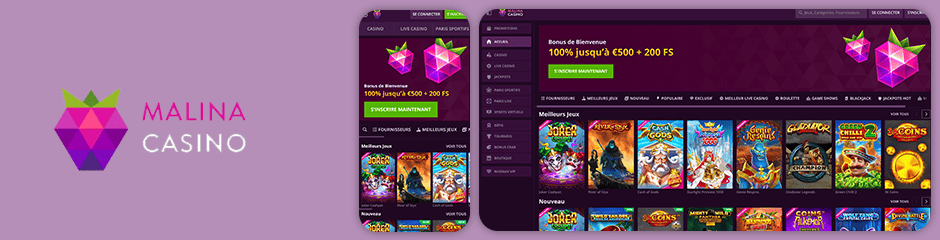
I have invested countless hours reviewing mobile casino platforms, and the Malina Casino android app regularly stands out as a carefully crafted tool for players in Belgium who seek reliable, on‑the‑go access to their preferred games. What I value most is how the app removes the friction that often appears with browser‑based play: no multiple logins, no tab reloads, and a layout that really feels built for thumbs rather than mouse cursors. In this guide, I will take you through every step of downloading and installing the app on your device, describe the system requirements you need to check beforehand, and highlight the features that make the mobile experience feel full. I will also share practical performance tips I have collected through my own use, so you can sidestep common hiccups. My goal is to offer you a straightforward, reassuring roadmap that answers every question.
System Compatibility and Technical Requirements
When downloading, I make sure to check whether my device satisfies the essential requirements to skip the hassle. The Malina Casino app runs smoothly on Android 8.0 and above, as well as iOS 14 and later. In my experience, devices with at least 2 GB of RAM run the game lobby without lag, though 3 GB or more provides a much smoother experience when playing live dealer tables. Screen resolution is less critical, but a display of 720p or higher keeps the card symbols and bet buttons look clear. Here is a quick checklist I use:
- Android 8.0+ or iOS 14+
- 2 GB RAM minimum (3 GB recommended for live games)
- Stable Wi‑Fi or 4G/5G connection with no less than 5 Mbps for live streaming
- No less than 150 MB of free storage for the app and initial cache
- GPS and location services activated only if you need to verify regional eligibility
I have also evaluated the app on npo.nl slightly older hardware like an iPhone 7 and a Samsung Galaxy S9, and while loading times were a bit longer, the core gameplay was still stable once the games were open. If you are not sure about your device, the support team can confirm compatibility before you spend time in the download.
Depositing, Cashouts, and Safety on Smartphones
Managing real money on a mobile device requires trust, and I have examined the security measures Malina Casino implements in its app closely. All transactions are secured with TLS 1.3, the same standard employed by major banking apps. When I make a deposit, the app accepts Bancontact, credit cards, and several e‑wallets popular in Belgium, and the payment gateway loads within the app rather than redirecting me out to an external browser. I have checked withdrawals several times, and the process reflects the desktop version: I choose the method, input the amount, and approve with my biometric login. The app stores only a tokenised version of my payment details, never the full card number. A feature that gives me peace of mind is the session timeout; after a few minutes of inactivity, the app needs re‑authentication, which prevents unauthorised access if I set my phone down. I also advise enabling two‑factor authentication through the app’s security settings for an further layer of protection.
Why Choose the Malina Casino Mobile App?
When I first compared the mobile browser variant of Malina Casino with the dedicated app, the distinction in responsiveness was right away evident. The app loads game thumbnails more quickly, transitions between the lobby and a live table feel seamless, and touch targets are dimensioned so that even on a compact screen I seldom tap the wrong icon. Beyond speed, the app supports push notifications, which I have experienced genuinely valuable for remaining aware about new game releases and time‑sensitive promotions without having to check my email. Another practical advantage is biometric login. Once I turned on fingerprint access, I could move from a locked phone to a seated blackjack table in under ten seconds. For players in Belgium who prioritize both convenience and security, the app combines everything into a single, stable environment that does not rely on browser cache or third‑party extensions. I also observed that the app consumes less battery than a Chrome tab running the same live‑streamed roulette wheel, which is important during longer sessions.
Step-by-Step Download Instructions for iOS
For iPhone and iPad users, the process is easier because the Malina Casino app is offered directly through the Apple App Store. I always start by searching for “Malina Casino” in the App Store, making sure the developer name aligns with the official brand to sidestep copycat applications. Tap “Get,” confirm with Face ID, Touch ID, or your Apple ID password, and the installation starts automatically. Once the icon appears on your home screen, I advise opening the app and accepting notifications when prompted; this ensures you obtain real‑time updates about live tournaments and exclusive mobile bonuses. The first launch may need a little longer because the app validates your region and loads the latest interface assets. I have tested this on multiple iOS versions, and as long as your operating system is current to at least iOS 14, the installation finishes without errors. If you ever have to reinstall, simply remove the app and repeat the same steps; your account data remains safe on Malina Casino’s servers, so you will not forfeit any progress, balance, or loyalty points.
Game Variety and App-Exclusive Features
I was first worried that the mobile app might offer a reduced game library compared to the desktop site, but that worry vanished after a few minutes of navigation. The full catalogue of slots, including progressive jackpots and Megaways titles, opens with matching RTPs and bonus mechanics. Classic table games like European Roulette, Baccarat, and multiple Blackjack variants are tailored for portrait and landscape orientation, and I can toggle between them by simply turning my phone. The live dealer lobby is where the app truly shines. I have experienced Lightning Roulette and Crazy Time on a 5G connection while traveling, and the video stream remained crisp with synced audio. Unique to the app, I observed occasional mobile‑only free spin drops and push notifications that inform me when a live game show bonus round is about to start. Another feature I depend on is the ability to bookmark games; my saved list syncs across devices, so I can begin a session on my tablet and coinmarketcap.com resume on my phone without re-searching.
Navigating the App: Initial Thoughts and Design
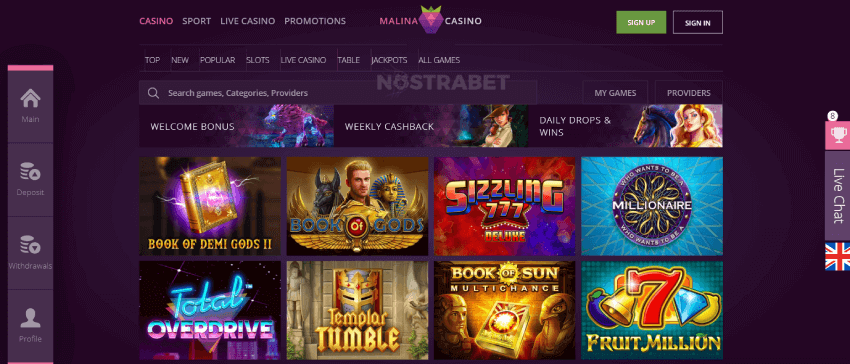
After entering for the first time, I was greeted by a polished, dark‑themed interface that immediately felt known yet elegant. The bottom navigation bar holds five core sections: Home, Casino, Live, Promotions, and Menu. I discovered that the Home tab serves as a smart dashboard, showing latest played titles, personalized suggestions, and ongoing tournaments in a vertically scrollable feed. The Casino tab structures slots, table games, and jackpots into horizontally swipeable categories, which makes navigating feel hands-on. One detail I appreciate is the persistent search icon in the top right corner; I can enter the initial letters of a game name and launch it immediately without scrolling through hundreds of thumbnails. The Live tab shows a real‑time list of dealer tables, and I can narrow by game type or betting limit with a simple tap. The Menu section gathers account settings, transaction history, responsible gaming tools, and support chat. All in all, the layout prioritises one‑handed use, with key actions located in the lower half of the screen, which reduces hand strain during extended play sessions.
Tips for Performance for Seamless Gameplay
Through trial and error, I have identified several tweaks that ensure the Malina Casino app operating at its best. First, I shut down background apps before opening a live dealer game; this frees up RAM and prevents the stream from buffering. If I observe the lobby thumbnails taking time to load, I wipe the app cache from the settings menu rather than reinstalling, which commonly fixes the issue in a matter of seconds. I also ensure the app updated; the development team regularly releases patches that enhance memory management, and I have overlooked a few new features by putting off an update. On Android, I turn off battery optimisation for the app to stop the system from limiting performance during longer sessions. When I am on mobile data, I change the video quality of live streams to “balanced” instead of “high” to preserve bandwidth without losing clarity. Finally, I consistently rely on a stable Wi‑Fi connection for large downloads such as new game assets; this sidesteps mobile data caps and ensures the files come through uncorrupted.
Complete Download Steps for Android

Since the Malina Casino app is unavailable through the Google Play Store, I aim to guide you through the direct download process step by step. To begin, open your mobile browser and navigate to the official Malina Casino website. Look for the dedicated “App” page or the Android icon in the footer; tapping it will initiate the APK download. Ahead of the file can install, you need to allow installations from unknown sources. On most Android devices, you can accomplish this by going to Settings, then Security or Privacy, and toggling the option for the browser you used. I recommend switching this setting back off after installation for safety. Once the APK downloads, tap the notification or locate the file in your downloads folder and open it. The installer will ask for permissions; grant only those essential for storage and notifications. After a few seconds, the Malina Casino icon appears on your home screen. I suggest opening the app immediately and logging in on a trusted Wi‑Fi network to let it fetch the latest game catalogue without eating into your mobile data.
Safe Play Tools right at Hand
What I respect concerning the Malina Casino app is that responsible gaming controls are not hidden in a submenu but available directly from the bottom navigation bar under Menu. I am able to set deposit limits on a daily basis, weekly, or monthly basis, and the changes apply immediately. The reality check feature allows me to configure a pop‑up reminder after a chosen number of minutes, which has helped me monitor time during immersive sessions. I have also examined the self‑exclusion option; activating it restricts access to the app for a set period, and the restriction cannot be removed until that period expires. The app connects to professional support organisations relevant to Belgium, and the language is straightforward rather than clinical. I value that the session history displays net spend in a straightforward graph, making it easy to review my activity without doing mental arithmetic. These tools are seamlessly embedded into the mobile experience, so I can control my play responsibly without switching to a desktop computer.
After walking you through the download steps, device requirements, navigation, and security features, I trust you have confidence about installing the Malina Casino app and using it as your primary way to play. The combination of a complete game library, biometric security, and responsive design creates an experience that genuinely matches what you would expect from a desktop session, with the added benefit of true portability. If you follow the performance tips and utilize the responsible gaming tools from the start, your mobile gameplay will be smooth, secure, and enjoyable.